The Hub

Run your game community from one place

The Hub gives leaders and players what they need to plan events, sort teams, find people to play with and keep everyone in the loop. On the web, on your phone and in Discord. Less spreadsheet work, more playing together.

Three tools, one family

Use one or all of them. Each one does its own job well, and The Hub Support helps with every one.

WOS HQ

For Whiteout Survival and Kingshot states and alliances

Your state's headquarters. Leaders plan every event in one place, and players always know where to be.

  • Player cards read straight from game screenshots
  • SvS, Foundry, Canyon and Tundra Arms League plans, with teams sorted from sign-ups
  • Polls and forms that fill in the plan as players answer
  • Transfers and recruiting, with game data on every prospect
  • A Discord bot and a phone app that tell players their spot
SquadUp

For any Discord server, any game

Find people to play with, right in your server. Start a group, people join with a tap, and everyone gets pinged when it's time.

  • Groups with a time, size, roles and a minimum rank
  • Linked game accounts with ranks and stats, verified where the game allows
  • Weekly game nights that post themselves a day ahead
  • Ratings and no-show marks, so good teammates find each other
  • Music in your voice channel while you play

The Broker

For Whiteout Survival and Kingshot groups on the move

Move your whole group to a better state without the chaos. Find a state that fits, talk in private, then plan who goes in which window.

  • Post your group without names or state numbers, and find states with room
  • A private room with each state for offers, asks and promises in writing
  • Every listing and player checked against game data
  • A move plan that spreads big groups over transfer windows and saves Special invites for the strongest
  • Moving-day messages for each player and a check of who arrived

See a move in action

Short walk-throughs of a group moving states with WOS HQ and The Broker. Every name and number in them is made up.

Plan the move · 1:00

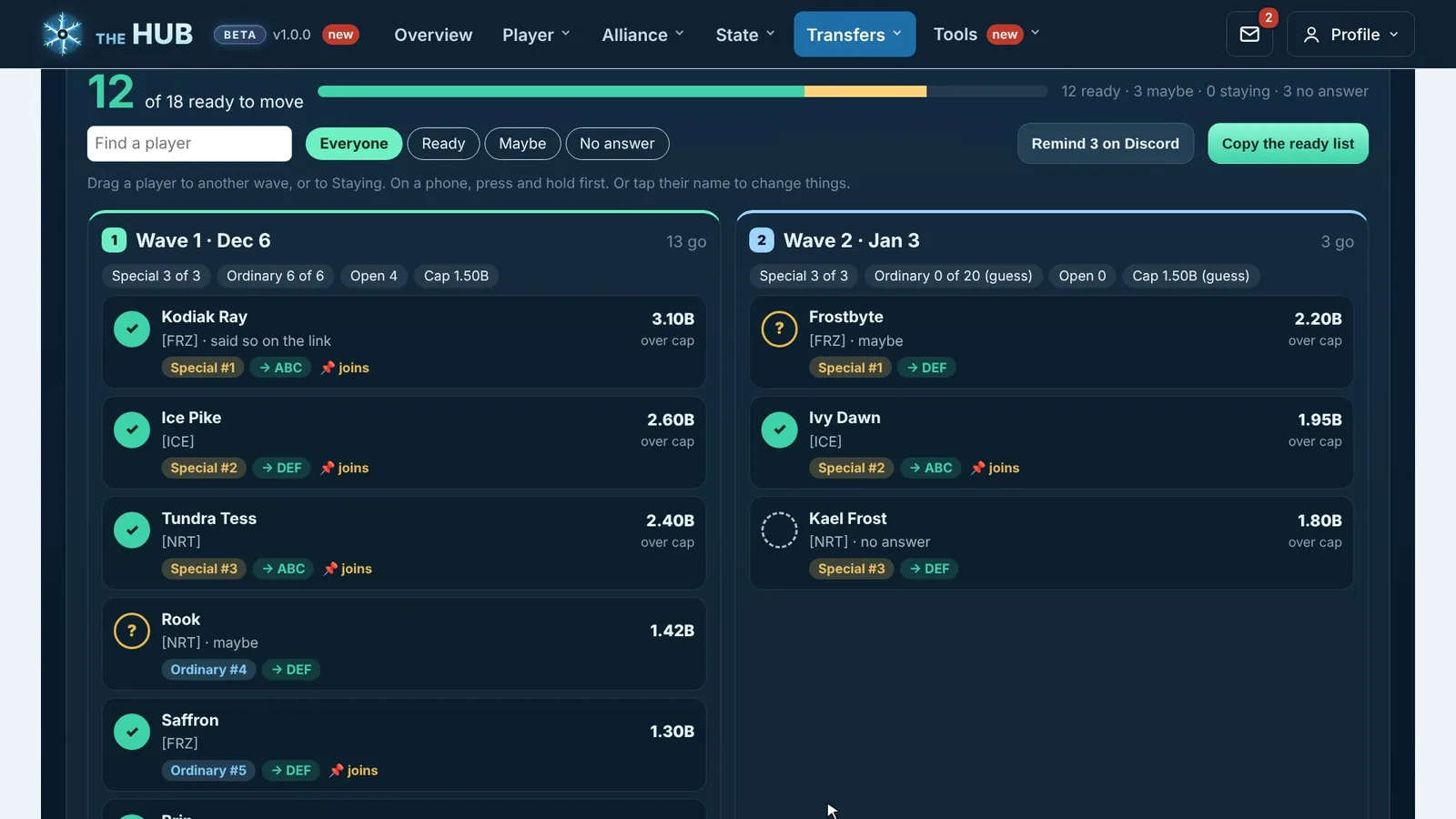
Move plan: players in two waves, ready checks and invites
Move plan. Drag players between waves. Green means ready.
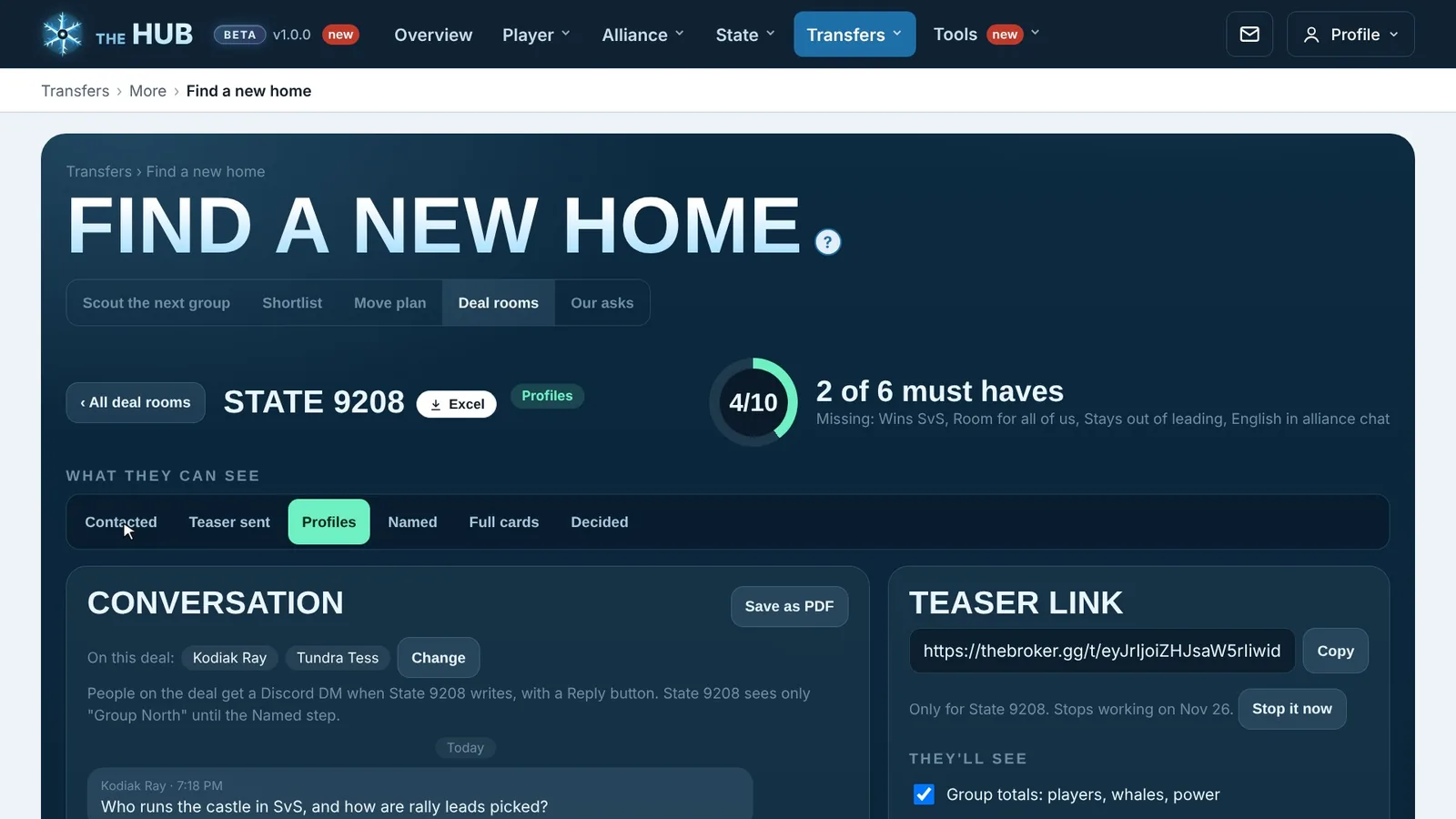
A deal room with another state: what they can see, the conversation and the teaser link
Deal rooms. One private room per state you talk to.
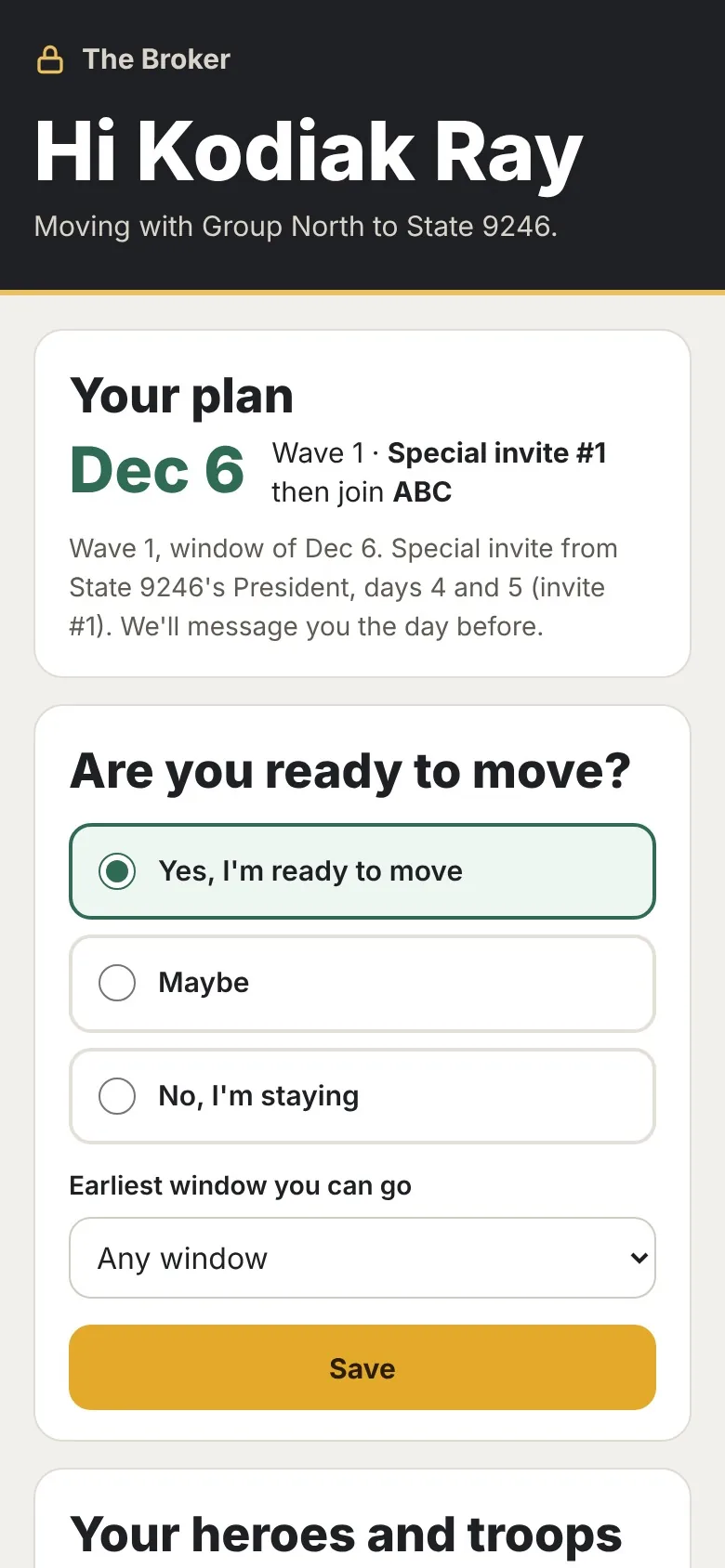
A player's plan on a phone: their date, wave and invite, and Are you ready to move
On their phone. Each player sees their own plan and answers.

Up and running in three steps

  1. Sign inUse Discord, Google or an email code. WOS HQ and SquadUp share one account.
  2. Add it to your DiscordInvite the bot to your server and pick the channels it posts in.
  3. Your people get to workLeaders plan, players answer, and everyone sees the same plan on the web, the phone app or Discord.

For leaders

  • Plan events from sign-ups instead of spreadsheets
  • Remind only the people who haven't answered
  • Share leader work with an access level for each role

For players

  • See your spot for every event
  • Answer polls and forms in a few taps
  • Get alerts on your phone or in Discord, in your language

Help when you need it

Ask The Hub Support from any tool, on the web, in the app or with a Discord command. The answer comes back where you asked.

Pick your tool and get started

Already using one? Sign in with the same account.